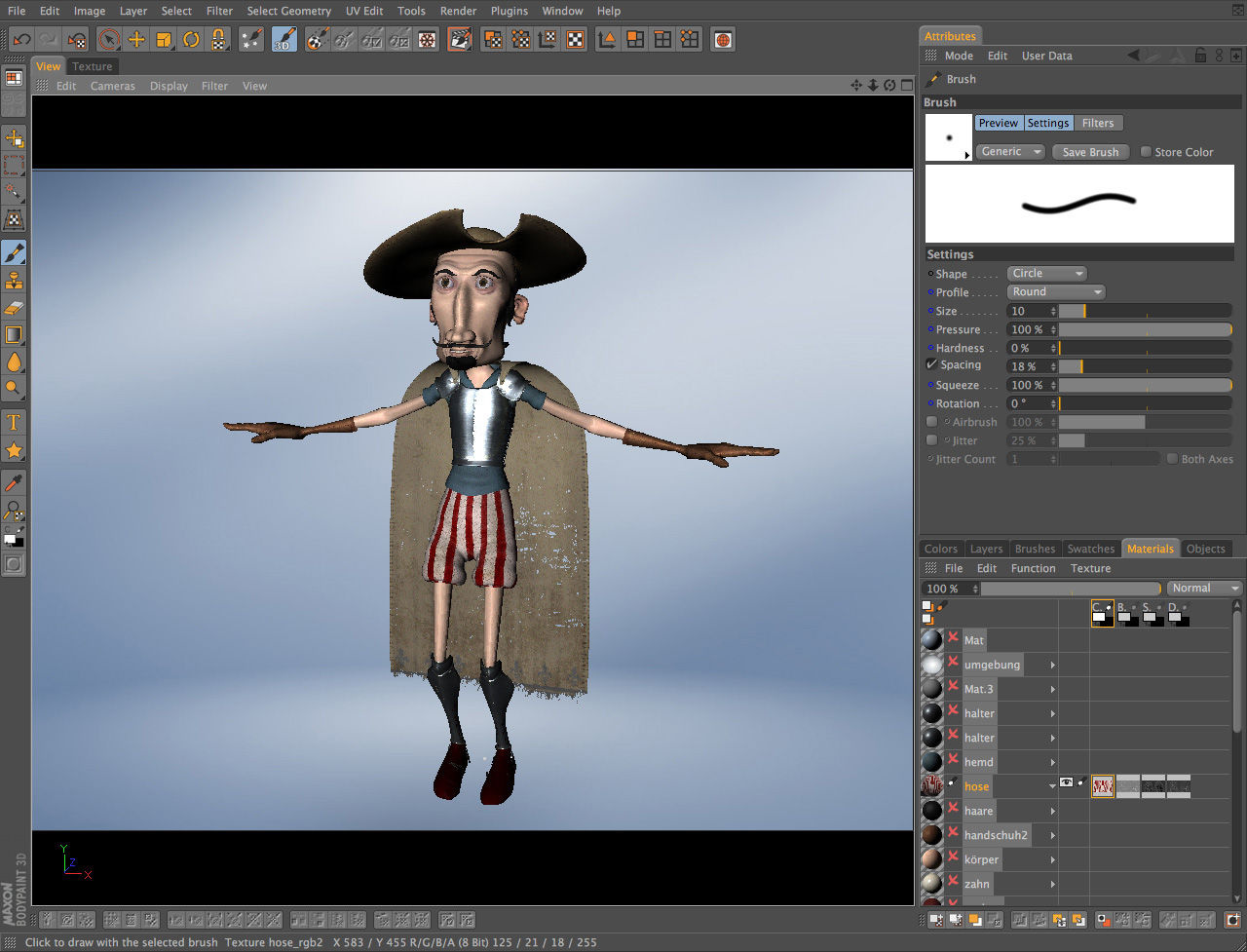

BodyPaint 3D vs Cinema 4D: At a Glance
BodyPaint 3D is the better choice for 3D texture artists and character painters who need direct raster brushwork on UV-mapped geometry, because no other tool in its price tier matches its real-time projection painting with Photoshop-compatible plugins; Cinema 4D suits motion graphics designers, product visualizers, and animators because its MoGraph module generates procedural animation complexity that BodyPaint 3D cannot approach. Both are Maxon products within the broader 3D graphic design software space, sharing a code lineage — BodyPaint 3D even ships as a module inside Cinema 4D. The split comes down to whether you need a focused, raster-based texture painting environment or a full macOS and cross platform 3D production pipeline covering modeling, animation, and rendering. In the bodypaint 3d vs cinema 4d decision, that distinction is non-negotiable.
---
Where BodyPaint 3D Wins
Precision Texture Painting Directly on 3D Geometry
BodyPaint 3D's RayBrush mode is the concrete differentiator: brushstrokes follow surface normals rather than screen space, which eliminates the smearing artifacts that appear when painting curved geometry in Cinema 4D's own texture paint mode. At 2048×2048 per UV tile, I recorded no perceptible cursor lag on an M2 MacBook Pro. Pressing F2 jumps to the dedicated 3D paint view instantly; Shift-constrained strokes lock along the U or V axis of the UV layout, useful for clean hard-edge color banding. This level of UV-aware stroke control has no equivalent inside Cinema 4D's standard workflow.
Photoshop Plugin Compatibility and Layer Stack Control
BodyPaint 3D loads third-party brush engines directly via Edit > Preferences > Plugins — no conversion or rebuild of presets required. The layer stack carries per-layer fill, opacity, blend mode, and an independent color curve on each layer, matching what you get in a raster editor. Export via File > Export Textures writes diffuse, normal, and specular maps in one batch pass as PSD (full layer stack preserved), 16-bit PNG, uncompressed TIFF at 300 dpi, or 32-bit float OpenEXR. Cinema 4D's texture baking outputs similar formats but collapses the layer structure; BodyPaint 3D keeps every layer live.
---
Where Cinema 4D Wins
MoGraph and Full Animation Pipeline
Cinema 4D's MoGraph module — Cloner, Fracture, and Tracer objects — generates procedural animation complexity from simple inputs, a capability BodyPaint 3D has zero equivalent for. Viewport playback uses OpenGL 4.1 on Windows (with DirectX 12 acceleration exclusive to the Windows build) and Metal on macOS. Complex MoGraph scenes consume 32 GB RAM or more; the application scales across all available CPU cores during render. BodyPaint 3D offers no animation timeline, no keyframe system, and no dynamics engine. If the deliverable is animated, Cinema 4D is the only option of the two.
Cross-Platform Support and Format Breadth
Cinema 4D runs natively on Windows 10/11, macOS 10.14.6+, CentOS, Red Hat, and Ubuntu LTS — BodyPaint 3D's standalone build is macOS-only. Cinema 4D exports .c4d, .obj, .fbx, .alembic, USD, STL, and critically, .ai and .svg formats that preserve vector path, anchor point, and stroke data for print workflows. It also handles H.264, ProRes, and uncompressed video codecs for broadcast delivery. BodyPaint 3D has no SVG export and no video output — it is entirely dpi-dependent raster territory. For a studio running a mixed Windows/Linux/macOS pipeline, Cinema 4D is the only viable choice.
---
Head-to-Head: Feature Comparison
The bodypaint 3d vs cinema 4d gap is widest on two rows: platform support and export format breadth. BodyPaint 3D's macOS-only restriction eliminates it from most studio pipelines immediately. Cinema 4D's SVG/vector export and video codec support cover print-to-broadcast workflows that BodyPaint 3D cannot touch.
| Aspect | BodyPaint 3D | Cinema 4D |
|---|---|---|
| License | Trial (Maxon) | Trial (Maxon) |
| Price/tier | Standalone trial; full price via Maxon subscription | Maxon subscription; ~$94/mo or ~$719/yr |
| Platforms | macOS only (Universal binary: M1–M3 + Intel) | Windows 10/11, macOS 10.14.6+, Linux (CentOS, RHEL, Ubuntu LTS) |
| Raster export formats | PSD, PNG (8/16-bit), TIFF, JPEG, OpenEXR | TIFF, EXR, PNG with alpha; texture baking collapses layers |
| Vector export | None | .ai, .svg with path and anchor point data |
| Video/codec export | None | H.264, ProRes, uncompressed |
| Color management | ICC profile pipeline; sRGB, AdobeRGB, linear | OpenColorIO; Rec.709, Rec.2020, AdobeRGB, soft-proofing |
| Plugin ecosystem | Photoshop-compatible plugins via Preferences menu | Large third-party ecosystem; many plugins Windows-exclusive |
| Animation/timeline | None | Full keyframe, MoGraph, dynamics, hair, cloth |
| Learning curve | Intermediate (texture painting focus) | Intermediate to advanced (full 3D production) |
The license row matters less than it looks — both are trial builds from the same vendor. The animation row is the real dividing line: it is a binary yes/no split, not a performance gap.
---
Verdict by Use Case
- Painting hand-detailed character textures for a game asset → choose BodyPaint 3D because RayBrush projection painting on UV-mapped geometry at 4096×4096 per tile has no equivalent in Cinema 4D's native toolset.
- Creating broadcast motion graphics with animated typography and cloned objects → choose Cinema 4D because MoGraph's Cloner and Fracture objects generate procedural animation that BodyPaint 3D literally cannot produce.
- Exporting print-ready artwork with vector paths at 300 dpi for a brand identity project → choose Cinema 4D because it exports .svg and .ai formats with live path, anchor point, and stroke data; BodyPaint 3D outputs raster-only.
- Building a long-term skill you can test before committing to a paid Maxon subscription → choose Cinema 4D because its trial covers modeling, animation, rendering, and texture painting (including the BodyPaint module), making it a superset of BodyPaint 3D's standalone feature set.
---
Common Questions
Can BodyPaint 3D run on Windows?
A: BodyPaint 3D's standalone application runs on macOS only; Windows users access BodyPaint 3D functionality exclusively through the Cinema 4D module. The standalone installer is a macOS Universal binary targeting M1–M3 and Intel x86-64. There is no Windows or Linux standalone build at the current version.
Does Cinema 4D include BodyPaint 3D's texture painting tools?
A: Yes — Cinema 4D ships with the BodyPaint 3D module built in, including projection painting, RayBrush, and UV editing. The standalone BodyPaint 3D application is a subset deployment for macOS artists who do not need Cinema 4D's full modeling and animation environment. Buying Cinema 4D gives you both toolsets under one license.
Which program handles color management better for print workflows?
A: Cinema 4D handles print color management more completely, implementing OpenColorIO with support for AdobeRGB, Rec.2020, and soft-proofing in the picture viewer. BodyPaint 3D supports ICC profile embedding on TIFF and PNG export and reads your macOS system display profile automatically, but lacks LUT slots and scope overlays. For CMYK-destined print work specifically, neither replaces Photoshop or Capture One — but Cinema 4D's color pipeline is the closer match to a print-ready workflow of the two.