Bodypaint 3d vs Substance Painter
Choosing between bodypaint 3d vs substance painter depends on your pipeline, polygon budget, and how deep you want to go into node-based materials — and the answer is rarely the same for every artist.
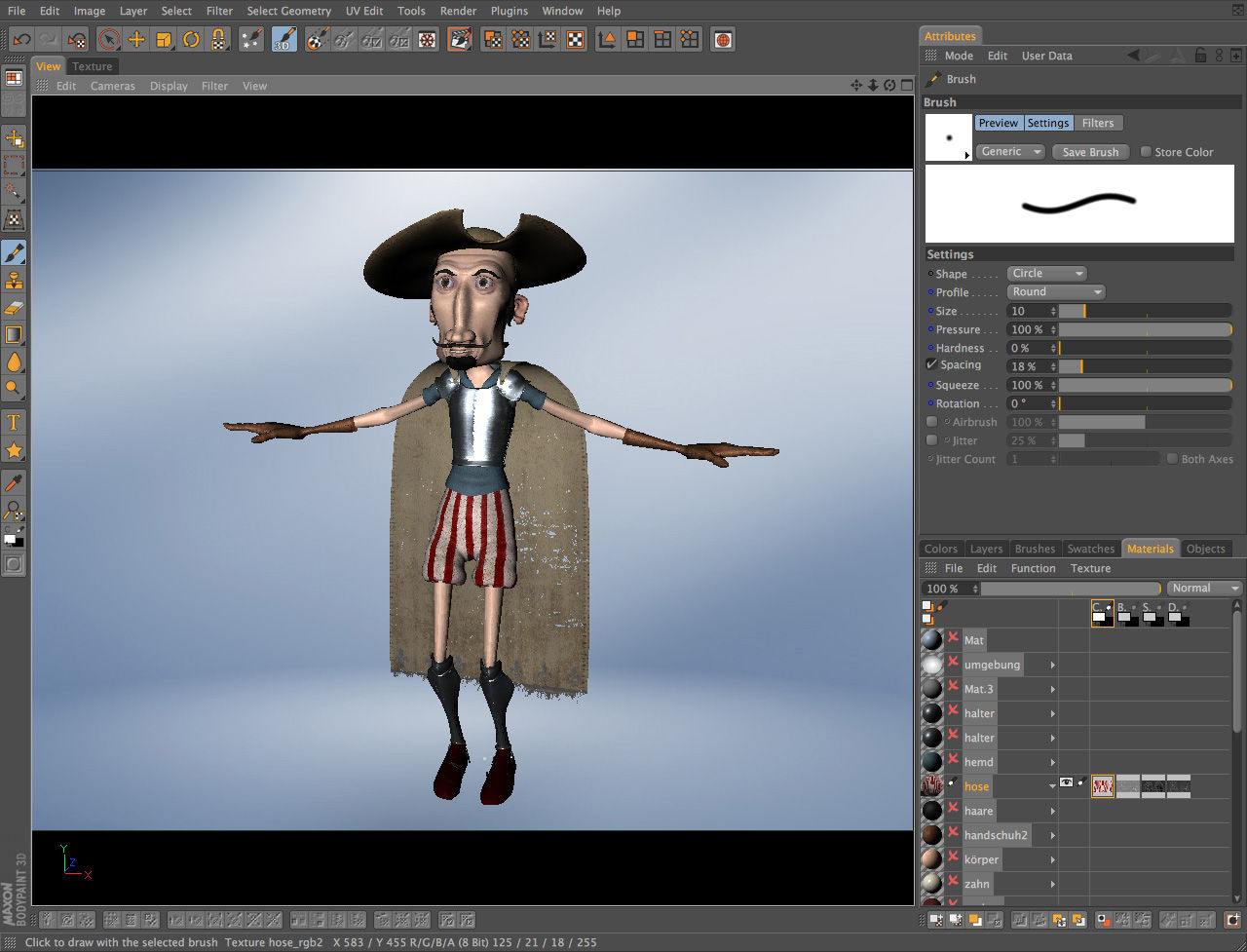
BodyPaint 3D is a dedicated texture painting application from Maxon. It runs as a standalone tool or as a module inside Cinema 4D, and it projects brushstrokes onto 3D geometry in real time, updating the underlying UV-mapped texture layer simultaneously. If you already live in the Cinema 4D ecosystem, the learning curve drops sharply.
bodypaint 3d vs substance painter: Core Differences
Material System
Substance 3D Painter from Adobe ships with a node-based material graph and a smart material system. BodyPaint has neither. What it does offer is a fully non-destructive multi-layer 3D painting stack with blending modes that mirror Photoshop — fill, opacity, blend mode per layer, exactly as you'd expect from a graphic design and 3D texture application.
That Photoshop parity matters. Third-party brush engines load directly via Edit > Preferences > Plugins, so your existing brush presets carry over without rebuilding anything from scratch.
Scale and Pipeline Fit
Mari from Foundry handles production VFX assets with UDIM tile counts that would stall BodyPaint entirely. If you're painting hero assets for a film with hundreds of UDIM tiles, Mari or Substance are the realistic options. BodyPaint handles smaller polygon counts more gracefully on consumer Mac hardware, making it a practical professional UV painting tool for freelance character work and game assets — not for large VFX pipelines.
3D Coat and Quixel Mixer sit in a similar mid-range bracket. ZBrush Polypaint works differently (vertex-based rather than UV-based), so it's not a direct swap.
Key Features Worth Knowing
RayBrush and Projection Painting
RayBrush mode is the standout feature that most comparison articles skip. Brushstrokes follow surface normals rather than screen space, which means painting across curved geometry — ears, knuckles, collar edges — stops producing the smearing you get when projecting flat onto a curve. It's a genuine time-saver.
Real-time projection painting works across multiple UV tiles. Stencil and stamp tools are included, as is symmetry painting. Mesh-check tools flag UV seams before any stroke lands, which prevents the visible seam artifacts that plague rushed texture work.
Normal, Bump, and Specular Maps
The layer stack supports bump map editing, normal map support, and specular map painting in the same interface. Each channel lives on its own layer. There's no need to jump between applications to handle different map types — one session covers the full PBR set for most mid-complexity assets.
Licensing and Platform
BodyPaint runs exclusively on macOS based creative workstations, which immediately rules it out for Windows-based studios. Substance Painter runs cross-platform. That's a hard constraint, not a preference.
The software ships as a free trial license before purchase, so you can validate performance on your specific hardware and mesh complexity before committing. Check BodyPaint 3D pricing and edition details to compare the standalone versus bundled Cinema 4D licensing costs — they differ significantly.
Which One to Choose
Substance Painter wins on material complexity, cross-platform support, and pipeline integration with game engines. BodyPaint wins on direct Photoshop plugin compatibility, Cinema 4D workflow continuity, and lower hardware overhead on Mac.
For a freelance illustrator or character artist painting hand-detailed textures on mid-poly meshes, this comparison of bodypaint 3d vs substance painter ultimately comes down to one question: are you already in the Cinema 4D ecosystem? If yes, BodyPaint is the faster, leaner path. If not, Substance's broader toolset justifies the steeper ramp.
Compare BodyPaint 3D Head-to-Head
More BodyPaint 3D Guides
Explore Graphic Design
Browse all graphic design on PicturesQuePhotoVideo. Also see Trial software and macOS options.