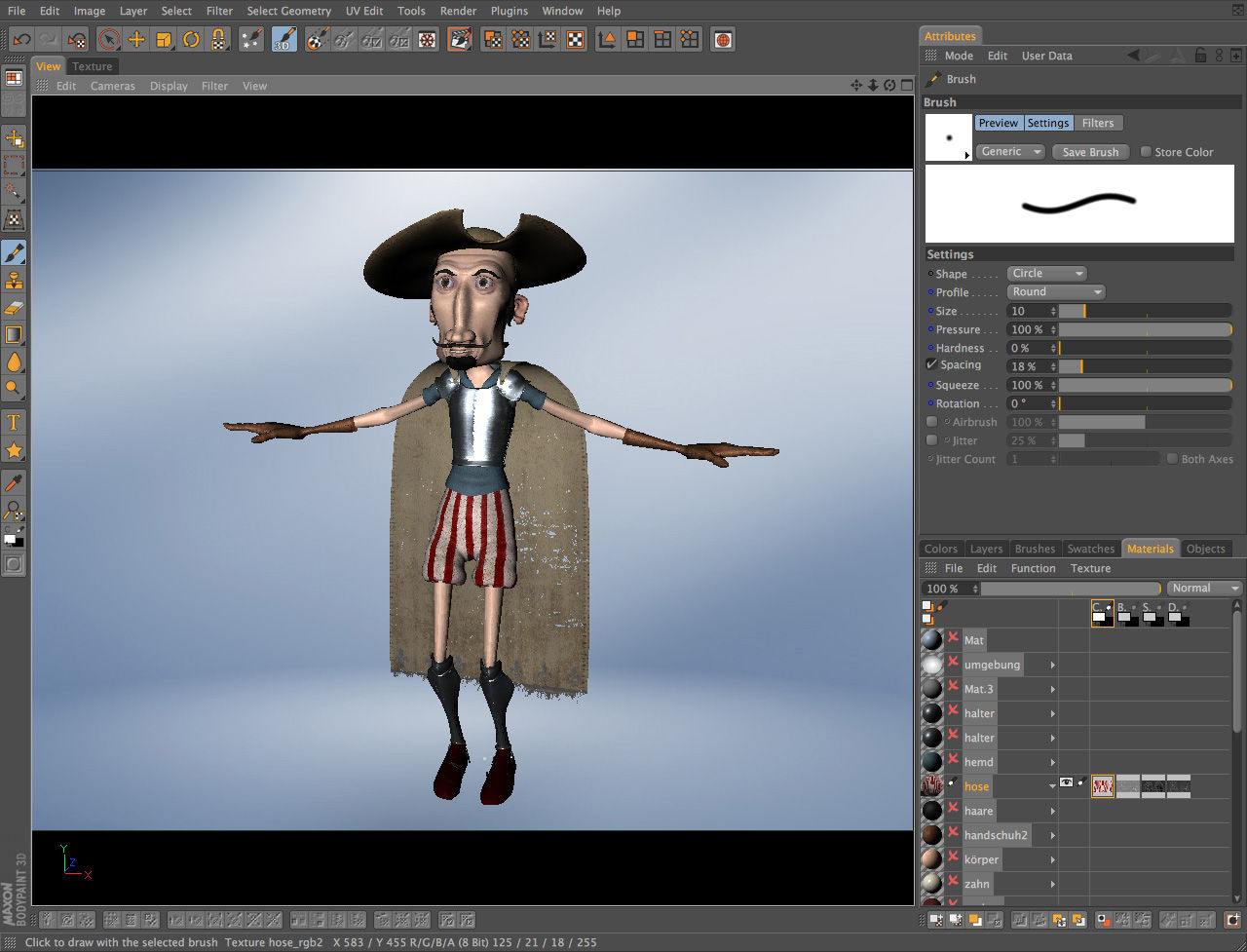
Bodypaint 3d R20
BodyPaint 3D R20 refers to the release iteration of Maxon's dedicated 3D texture painting application, BodyPaint 3D, built for artists who need precise, raster-based brushwork applied directly onto 3D geometry. It runs as both a standalone macOS application and as a bundled module inside Cinema 4D, making it a core tool for character artists and game texture specialists alike. This is one of the few applications in the graphic design software catalogue that bridges UV-mapped painting and real-time 3D preview without forcing you to leave your modeling environment.
What bodypaint 3d r20 Delivers
The core mechanic is straightforward: load a mesh, project brushstrokes onto the surface, and watch the underlying UV texture layer update in real time. The layer stack supports blending modes comparable to Photoshop — fill, opacity, and blend settings per layer — which makes multi-layer 3D painting feel natural to anyone already working in 2D compositing tools.
RayBrush and Projection Painting
RayBrush mode is the standout feature. Instead of painting in screen space, strokes follow surface normals, which saves significant cleanup time on curved geometry like faces or vehicle panels. Real-time projection painting spans multiple UV tiles simultaneously, so painting a character wrap in UDIM-style layouts doesn't require manual tile-by-tile switching.
Photoshop Plugin Integration
Third-party brush engines slot in via Edit > Preferences > Plugins, and Photoshop-compatible plugins load without rebuilding presets from scratch. This matters on macOS specifically, where the macOS compatible version maintains plugin compatibility across standard Photoshop plugin formats. Stencil tools, stamp brushes, and symmetry painting are all available, and the mesh-check utilities flag UV seams before a single stroke lands — catching errors early rather than after an hour of painting.
Multi-Layer Painting and Texture Export
The non-destructive workflow holds up well for production pipelines. Each layer carries independent settings, and the export path is efficient: File > Export Textures writes diffuse, normal, specular, and bump map channels in a single pass rather than requiring per-map saves. That batch-export path alone cuts texture delivery time significantly compared to manual channel-by-channel saves.
For a side-by-side evaluation of how this tool stacks up against its main market competitor, see the BodyPaint 3D vs Substance Painter feature comparison.
Trial Version and Licensing
The application ships under a trial license on macOS. The trial license terms typically restrict export resolution or disable certain channel-export options — confirm current limitations on Maxon's site before committing to a production pipeline. Pricing details are covered in the BodyPaint 3D pricing breakdown.
Installing on macOS
Download the macOS installer from Maxon's site, mount the DMG, and follow the standard drag-to-Applications flow. Activating Photoshop-compatible plugins requires pointing the plugin path in Edit > Preferences > Plugins to your existing plugin folder — BodyPaint 3D will enumerate compatible `.8bf` files on next launch without manual registration.
Who This Tool Suits
This is a professional UV painting tool built for 3D artists who hand-paint character detail that automated baking can't replicate. Automated bakers handle ambient occlusion and cavity maps efficiently, but hand-painted color variation, skin subsurface tinting, and stylized wear require the kind of direct brush control this Cinema 4D texture editor provides. Concept illustrators working with pre-built meshes will find the real-time preview particularly useful for rapid iteration. bodypaint 3d r20 remains a well-specified entry point for artists evaluating the Maxon ecosystem before committing to a full Cinema 4D subscription.
Compare BodyPaint 3D Head-to-Head
More BodyPaint 3D Guides
Explore Graphic Design
Browse all graphic design on PicturesQuePhotoVideo. Also see Trial software and macOS options.